
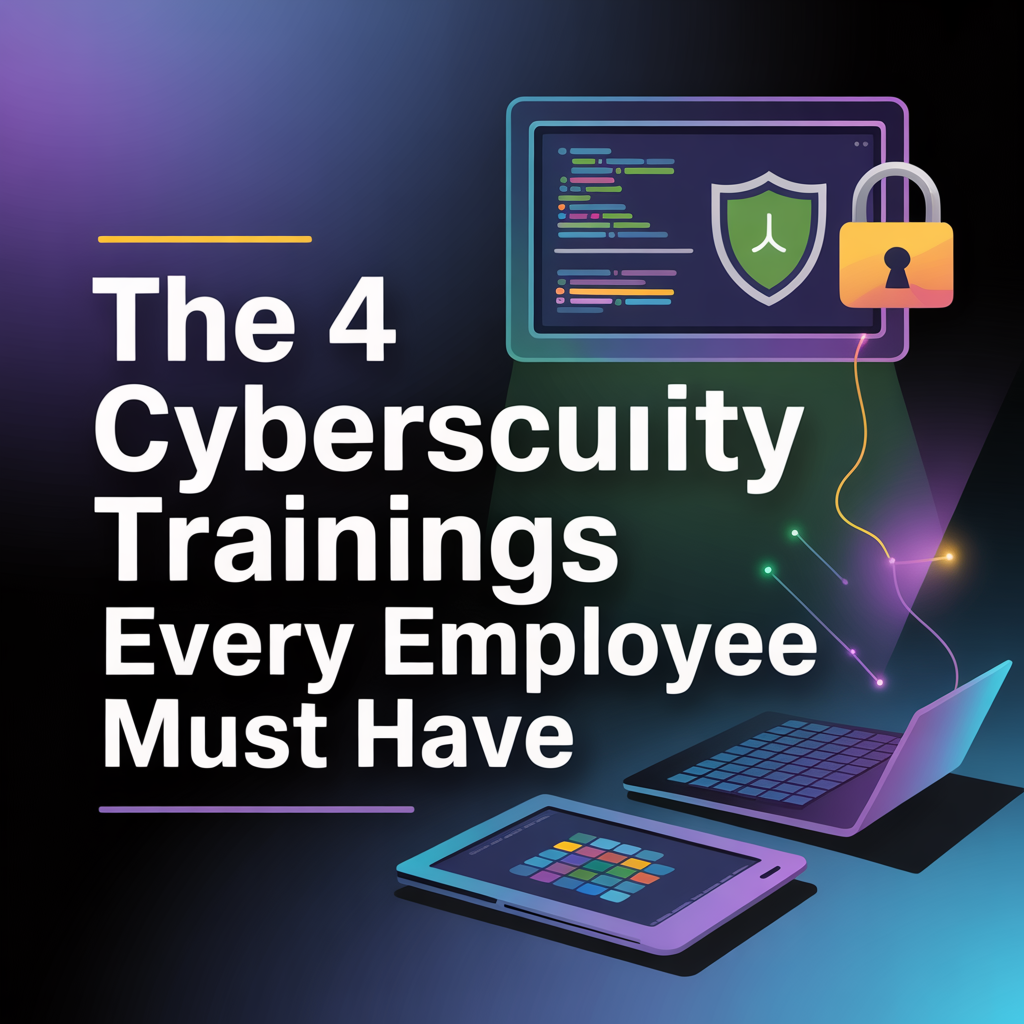
The 4 Cybersecurity Trainings Every Employee Must Have
As summer wraps up and students return to school for a fresh year of learning, it’s a good time to ask: When was the last time your team received a refresher course?
Cybersecurity is not a one-and-done effort. Just like students need review to retain what they’ve learned, your employees need regular training to protect your business. In fact, human error still accounts for the majority of successful cyberattacks. That’s why annual cybersecurity training isn’t optional—it’s essential.
At Quinn Tech, we recommend every business prioritize these four foundational cybersecurity trainings for every employee in 2025:
1. Email & Phishing Awareness
Email remains the #1 way attackers infiltrate businesses. Employees should learn how to spot phishing scams, avoid downloading unsafe attachments, and know what to do if they receive a suspicious message. Even if an email appears to be from someone familiar, one click on a malicious link could compromise your entire network.
🔍 Tip: If something seems off, don’t guess—forward the message to your IT team or provider to verify its safety.
2. Password Security & Multi-Factor Authentication
Weak or reused passwords are low-hanging fruit for hackers. Train your staff to use complex, unique passwords and avoid using the same credentials across systems. Better yet, implement multi-factor authentication (MFA) to ensure an added layer of protection across all critical platforms.
🔐 Consider using password managers to simplify strong credential management for employees.
3. Social Media & Public Communication
Oversharing on social media can expose your business to risk. Train your team to never use company email addresses for personal accounts, and avoid posting sensitive internal details online. Even casual comments can lead to data leaks or social engineering attacks.
4. Data Protection Responsibilities
Every employee plays a role in protecting sensitive data. Whether it’s client records, payment info, or internal strategy docs, your staff should understand their responsibility to handle information securely—and the potential consequences if they don’t.
📁 Mismanaged data isn’t just a risk—it could lead to lawsuits, regulatory penalties, and reputation loss.
Keep Your Team Sharp. Protect Your Business.
Regular cybersecurity training isn’t just best practice—it may be required for insurance eligibility and customer trust. Whether your business is just starting to formalize security protocols or you need help updating your training strategy, we’re here to help.
💡 Let’s secure your business. Schedule your free consultation today:
Like this article? Share it!
The Best IT Support in Houston TX!
Check out our reviews to find out why!
Check out our TESTIMONIALS PAGE and you'll see we are the best choice for your IT Managed Services. We have the highest ratings in Houston Area for IT Services & Managed Services. Book a free consultation to find out how we can secure your business for you! IT Managed Services in Houston, Texas
READ MORE OF OUR ARTICLES!
(And How To Protect Your Business From the Same Fate) Last December, an accounts payable employee at a midsize business received what looked like a routine, urgent text from her “CEO.” The request was simple: purchase $3,000 in Apple gift cards for clients, scratch off the codes, and email them immediately. It felt a little strange — but it was peak holiday chaos, the sender name matched the boss, and everything sounded urgent. By the time she paused to double-check, the damage was done. The gift cards were gone, the scammer had cashed out, and the business absorbed the loss. That incident was frustrating, but manageable. Other holiday scams are far more destructive. That same month, Orion S.A., a Luxembourg-based chemical manufacturer, fell victim to a much larger scheme. An employee received what appeared to be legitimate internal emails requesting wire transfers — messages that looked routine, timely, and aligned with normal operations. Trusting the process, the employee approved multiple transfers without verifying the requests. The outcome was devastating: $60 million wired directly to cybercriminals, wiping out more than half of the company’s annual profits through fraudulent transactions. If you think your business is too small to be targeted, think again. Gift card scams alone cost businesses more than $217 million in 2023, and business email compromise (BEC) attacks made up 73% of all cyber incidents in 2024. The holiday season is prime time for these attacks because criminals know teams are stretched thin, distracted, and processing more transactions than usual. 5 Holiday Scams Your Employees Need To Know (Before They Cost You Thousands) 1. “Your Boss Needs Gift Cards” (The $3,000 Text Trap) The scam: Attackers impersonate executives or owners and pressure employees into buying gift cards for “clients” or “employee appreciation.” In Q1 2024 alone, nearly 38% of BEC incidents involved gift card fraud. Prevention: Make it policy — no gift card purchases without two approvals. Employees should know executives will never request gift cards via text or email. 2. Invoice & Payment Switch-Ups (The Big Money Play) The scam: Fraudsters send “updated banking details” or hijack vendor email threads right when invoices are due. In June 2024, the Town of Arlington, MA lost nearly $500,000 through this exact tactic. Prevention: Verify all payment or banking changes using a known phone number, never the one listed in the email. Implement a mandatory call-back rule for financial changes over a set threshold (commonly $5,000). 3. Fake Shipping & Delivery Notices The scam: Phishing emails or texts pose as UPS, FedEx, or USPS with links to “reschedule delivery” — especially common during peak shipping season. Prevention: Train employees to navigate directly to the carrier’s official website instead of clicking links. Bookmark trusted tracking pages to avoid fake delivery notices. 4. Malicious “Holiday Party” Attachments The scam: Emails arrive with attachments labeled things like “Holiday_Schedule.pdf” or “Party_List.xls,” which install malware when opened. Prevention: Disable macros, scan all attachments, and create a culture where employees verify unexpected files before opening them. 5. Bogus Holiday Fundraisers The scam: Fake donation pages or “company matching” campaigns mimic legitimate charities to steal money or personal information. Prevention: Maintain an approved charity list and require all donations to be processed through official company portals. Why These Attacks Work (And How To Stop Them) The very tools that keep businesses efficient — email, online banking, digital payments — are the same ones criminals exploit. These are not obvious “Nigerian prince” scams. They are carefully researched attacks that use social engineering, timing, and insider knowledge of your operations. Organizations that run regular phishing simulations reduce risk by up to 60%, yet many small businesses never provide formal security training. Multifactor authentication can block 99% of unauthorized login attempts, but countless companies still rely on passwords alone. Your Holiday Defense Checklist Before the holiday rush hits full speed, make sure these protections are in place: • The Two-Person Rule: Require verbal confirmation through a separate channel for transactions over your threshold. • Gift Card Policy: Clearly state — no gift cards requested or approved via email or text. • Vendor Verification: Confirm all banking or payment changes by phone using trusted contact info. • Multifactor Authentication: Enable MFA on email, banking, and cloud accounts. • Holiday Awareness Training: Brief your team on these five scams using real-world examples. The Real Cost: More Than Just Money While Orion’s $60 million loss made headlines, smaller businesses often feel the hidden impact more severely: • Operations stalled during peak season • Productivity lost during cleanup and recovery • Customer trust damaged if data is compromised • Cyber insurance premiums rising after an incident The average loss from a business email compromise incident is $129,000 — enough to seriously threaten many small businesses at the worst possible time of year. Keep Your Holidays Merry, Not Messy The holiday season should focus on growth, celebration, and momentum — not recovering from wire fraud. A short team huddle, a few clear policies, and layered security controls can go a long way toward keeping criminals out of your books. Remember: the employee at Orion could have stopped a $60 million loss with one verification phone call. With the right awareness and simple safeguards, your business does not have to become the next cautionary tale. Want to make sure your team is locked down before the New Year? Book a 15-minute discovery call and we’ll walk through practical, no-nonsense steps to protect your business. 👉 Schedule Your Free Security Assessment Because the best gift you can give your business this holiday season is peace of mind.

(Or: How Not To Accidentally Ruin Someone’s Day) The holiday season already comes with plenty of pressure — technology hiccups should not be part of the problem. Customers are squeezing in last-minute errands, employees are juggling family commitments, and expectations are running high. Even small, avoidable tech missteps can quickly turn into unnecessary frustration. Think of this as your Holiday Tech Manners Guide — because no business wants to be that place that ruins someone’s Tuesday. 1. Update Your Online Hours (Before Your First Angry Phone Call) Imagine this scenario: a customer rushes across town during their lunch break because Google says you are open — only to arrive at a locked door and dark office. Congratulations, you have just created someone’s villain origin story. Keeping your hours accurate during the holidays is one of the simplest ways to protect your reputation and your sanity. What to update: • Your Google Business Profile (the most important one) • Facebook, Instagram, Yelp — anywhere customers might check first • Your website banner with clear holiday hours • Apple Maps (yes, plenty of people rely on it) Sample message: “Happy Holidays! We’ll be closed Thursday, Nov. 28 through Sunday, Dec. 1 to spend time with family. We’ll return to regular hours Monday morning — possibly with a slight turkey hangover but ready to help!” 2. Set Friendly Out-Of-Office Replies (That Don’t Sound Like Robots) If your team is taking time off, do not leave customers stuck in email limbo wondering if your business vanished into the holiday abyss. A good auto-reply acts like a friendly doorman — professional, reassuring, and human. Sample out-of-office message: “Thanks for reaching out! Our office is closed for Thanksgiving from Nov. 28 to Dec. 1. We’ll respond as soon as we’re back and caffeinated. If this is urgent, please call our support line at (XXX) XXX-XXXX. Wishing you and yours a wonderful holiday!” 3. Don’t Overshare In Your “Out Of Office” (Nobody Needs Your Itinerary) Keep things simple. Customers do not need to know that you are visiting Aunt Carol in Denver, that your office manager is flying to Cancún, or that Bob from accounting is on a Friendsgiving potluck tour. Beyond being unnecessary, too much detail can also create security concerns. Stick to dates, response timelines, and alternate contact options. Save the travel stories for social media. 4. Test Your Phone Systems (Before They Test Your Patience) Holiday callers are often rushed and already stressed. Make sure your voicemail greeting matches your actual hours and does not send people on a wild-goose chase. Pro tip: Call your own business number. Seriously. You would be surprised how many companies are still using voicemail greetings from 2019. Sample voicemail: “You’ve reached [Business Name]. Our office is currently closed for the holiday weekend. Please leave a message and we’ll return your call Monday morning. If this is urgent, press 1 to reach our on-call team. Happy Holidays, and thanks for your patience!” 5. Communicate Shipping Deadlines (Before The Panic Sets In) If your business ships products or offers deliveries, clear communication is essential. Post holiday cutoff dates prominently on your website and send reminder emails well in advance. Delayed packages are frustrating — but missed expectations can seriously damage customer trust. No one wants to explain why an anniversary gift is arriving in January. The Bottom Line: Good Etiquette = Happy Customers = Good Business Holiday tech etiquette does not require fancy tools or complicated systems. It comes down to setting clear expectations, communicating like a real human, and respecting your customers’ time. A few quick updates can prevent major frustration and help your business reputation stay merry and bright. Remember: the goal is not just to avoid problems — it is to make your customers feel taken care of, even when you are out of the office. Want help making sure your systems (and your customer experience) stay polished and professional this holiday season? Let’s talk about simple ways to keep everything running smoothly while you enjoy some well-deserved time off. 👉 Book your free discovery call here

You wouldn’t drive without clicking your seatbelt button. You wouldn’t leave your office unlocked overnight. So why go online without pressing the one button that can dramatically strengthen your security — the button that turns on multi-factor authentication (MFA)? Think of MFA as a second lock powered by a simple tap. Passwords can be guessed or stolen, but when you activate MFA, you add a layer of protection that hackers can’t easily break through. A quick button press to confirm your login — whether through a text code, an authentication app, or a fingerprint — stops attackers who try to use your password. Why One Button Makes All the Difference If your password is the key that opens the door, the MFA button is what activates your alarm system. It’s not complicated, and it doesn’t slow you down — but it dramatically reduces what cybercriminals can do with a stolen password. You may hear MFA called “two-step verification,” “two-factor authentication,” or “one-time passcode login.” Regardless of the name, the concept is the same: after you enter your password, you tap a button that confirms it’s really you. That quick confirmation can come in the form of: • A text message code • A push-notification button you tap to approve • A fingerprint or facial recognition scan • An authenticator app button In other words: a hacker can steal your password, but they can’t press your button. Real Moments When That Button Saves the Day Pressing the MFA button takes seconds — but those seconds are often what stop an attack. If someone tries logging in with your stolen password, MFA blocks them instantly and sends you an alert. Instead of criminals accessing your email, payroll tools, or cloud storage, you get a notification that lets you change your password before any damage occurs. MFA also shields you from social engineering attacks. Even if an employee accidentally shares a password with a scammer, the attacker can’t get in without pressing the confirmation button on your device. Microsoft reports that enabling MFA reduces account compromise risk by over 99.2%, and with stronger MFA methods, the rate improves to more than 99.99%. That’s incredible protection from a single button. Where You Should Press That Button First Turn MFA on immediately in places that hold sensitive information: • Financial and banking apps • Email and cloud storage • Social media accounts • Work apps that contain client or business data If it matters to your personal or professional life, the MFA button belongs on it. How to Enable MFA (and Make the Button Part of Your Routine) Major platforms already include MFA settings — you just activate them. Some businesses go further by using authenticator apps that add extra security without making the process harder. The takeaway is simple: pressing the MFA button is one of the easiest, quickest, and most powerful cybersecurity actions you can take. A few minutes today can prevent years of future headaches, lost data, and financial harm. For a seamless rollout across your business, your best option is to work with a trusted IT provider. An experienced MSP can help you choose the right MFA method, equip your team, and ensure every login is protected. If you want help enabling MFA or improving your cybersecurity strategy, schedule a discovery call with Quinn Tech:

In 2020, a family in Mississippi woke up to a parent’s worst nightmare. Their eight-year-old daughter heard a man’s voice coming from her bedroom—but it wasn’t her father. A hacker had accessed their Ring camera and was speaking to her through the device, taunting her and playing music until her parents rushed in to unplug it. Ring later confirmed the problem: the family reused a password that had already been exposed in a data breach. Stories like this are unsettling, but they’re not rare. Smart cameras—and smart devices in general—are hugely popular for both homes and small businesses. For many Houston businesses, they’re an affordable way to monitor entry points, manage inventory spaces, watch the front desk, or check in after hours. But while these devices offer convenience and peace of mind, they can also introduce serious cybersecurity risks if they aren’t set up and secured correctly. Why Smart Cameras Can Put Your Business at Risk Not all cameras are designed with security in mind. Many budget-friendly options cut corners, skipping essential safeguards like encryption, secure cloud storage, or regular firmware updates. Even established brands can leave you exposed if default settings are never changed. Cybercriminals look for: • Default usernames and passwords • Outdated firmware • Unsecured WiFi networks • Unpatched security gaps • Cameras connected to the same network as business systems Once a hacker gets into a vulnerable camera, they may be able to view footage, steal data, or move deeper into the network. For a small business, this could lead to far more than a privacy violation—it could expose client information, financial records, employee data, or business-critical systems. Choosing the Right Camera Matters If you’re purchasing a new camera or evaluating the ones you already own, pay attention to features that actually protect your business. Look for devices that offer: • Regular and transparent security updates • Encrypted video streams • Multi-factor authentication for logins • The option for local storage (not cloud-only) • Strong manufacturer security practices Reputable brands are worth the investment. In cybersecurity, the cheapest option usually ends up being the most expensive mistake. Setup Mistakes That Put Businesses at Risk Choosing a secure device is only half the equation. How you configure it matters just as much. To protect your Houston business: 1. Change default usernames and passwords immediately. Cybercriminals maintain lists of default logins for thousands of camera models. If you don’t change them, they already know your password. 2. Keep firmware and apps updated. Outdated devices are one of the biggest security risks we see in small business environments. Enable automatic updates whenever possible. 3. Segment your network. Your smart cameras should never sit on the same network as: • Office computers • Payroll and accounting systems • Client data • Cloud apps • POS or payment systems Network segmentation is a core cybersecurity practice we implement for Houston businesses—it prevents a hacked device from becoming an entry point into everything else. 4. Secure your router. Strong WiFi encryption, a strong admin password, and updated firmware are essential. Your router is the real “front door” to your network. Cameras Aren’t the Only Devices to Worry About Smart doorbells, thermostats, locks, and voice assistants also connect to your network. If they’re not secured properly, they can become back doors for attackers. The more “smart” devices your business uses, the more important it becomes to have professional cybersecurity oversight. Smart Devices Can Make Your Business Safer—If They’re Set Up Securely Smart cameras and IoT devices can absolutely help protect your workplace. They just need to be configured with security in mind from the start. A few proactive steps now can prevent your cameras from becoming easy wins for hackers—and protect your business from costly breaches, downtime, and data loss. Not Sure Whether Your Smart Devices Are Secure? Quinn Technology Solutions helps Houston businesses review, secure, and harden their devices before attackers find the weaknesses. 👉 Schedule your free discovery call: https://go.appointmentcore.com/guest/book/PvREBR We’ll review your setup, identify risks, and make sure your smart cameras and connected devices are helping your business—not putting it at risk.

Scammers don’t take holidays off — in fact, they look forward to them. When emotions run high and giving increases, fraudsters ramp up their efforts. And every year, fake fundraisers spread across social media, e-mail and crowdfunding sites, tricking people and small businesses into donating to causes that aren’t real. A few years ago, a massive telefunding ring was shut down after investigators uncovered more than 1.3 billion deceptive donation calls and over $110 million stolen from donors. (Federal Trade Commission) Researchers at Cornell University found that more than 800 accounts on major platforms operate active donation scams at any given time, pushing people toward fake fundraisers on Facebook, Instagram and X. For Houston businesses, even one mistaken donation can do more than waste money. It can tie your company’s name to fraud, weaken trust with clients and partners, and create cybersecurity exposure if the scam is linked to phishing or malicious links. Here’s how to check whether a fundraiser is legitimate, recognize red flags and keep your business (and goodwill) protected this season. How To Vet A Fundraiser Before You Donate A legitimate fundraiser should clearly and confidently explain: • Who is organizing it, and what is their connection to the person or cause? • How the money will be used and within what timeline. • Who controls the withdrawals and whether there is a secure, direct path for funds to reach the recipient. • Whether close family or friends publicly support or validate the campaign. If any of this is unclear or avoided, ask questions. Silence or vague answers are a major warning sign. Red Flags That Often Signal Scams Take a step back if you notice: • Misleading, conflicting or obviously false details on the fundraiser page • Money not being used for the stated purpose • Impersonation of another person or copying someone else’s tragedy • Stories that seem overly perfect, dramatic or emotionally manipulative If multiple warning signs show up, report the fundraiser and do not donate. Vetting Charities (Not Just Crowdfunds) Even established charities can have questionable practices. Look for: • Transparent program descriptions, financial breakdowns and annual reports • Clear information about what percentage of donations reaches programs • Charity names that appear in searches alongside words like “fraud,” “scam,” or “complaints” If information is hard to find or reviews seem concerning, proceed carefully. Common Tactics Charity Scammers Use Watch for these red flags — many of which overlap with the cybersecurity scams we see every day in Houston: • Demands for gift cards, wire transfers or cryptocurrency • Websites missing https (secure data transmission) • Pressure to donate immediately • Claims that you already pledged or donated when you didn’t Scammers are getting better at making things look real. Even polished websites, friendly messages and professional-looking graphics can hide bad intentions. Why This Is Important For Your Business When a company donates — whether publicly or quietly — that act of generosity becomes part of your brand identity. Falling for a fake fundraiser can damage credibility, especially if the scam also includes malware, phishing links or attempts to gather employee information. The same tactics that appear in charity scams often show up in invoice fraud, fake payment requests and impersonation scams that target businesses. Training your team to spot fraudulent fundraisers also teaches them to catch other common cyberthreats. How To Protect Your Business (And Your Goodwill) These best practices help keep your charitable giving safe: 1. Donation Policy For Your Business: Establish how the company donates and what approvals are required. 2. Employee Awareness: Teach your team how to recognize fake fundraisers and verify requests before donating under the company name. 3. Use Trusted Channels: Donate directly on verified charity websites, not through random links shared by e-mail or social media. 4. Transparency: If your business publicly supports a cause, make sure you’ve verified the organization first. 5. Ongoing Monitoring: After donating, confirm the funds were used as promised — many charities publish impact updates. Keep Your Holidays Generous – Not Risky The holidays are a time to give — not a time to regret a rushed or unsafe donation. A few smart checks protect your business, your money and your reputation. Want your Houston team trained to spot fake fundraisers, phishing attempts or suspicious payment requests? We can help strengthen your cybersecurity awareness and keep your business safe. 👉 Book your free discovery call here Because the strongest gift you can give your business (and your community) is protection from scams designed to take advantage of your generosity.

AI is evolving at lightning speed — and while that’s great for business innovation, it’s also giving cybercriminals a dangerous new toolbox. Deepfakes, AI-powered phishing, and fake “AI tools” loaded with malware are becoming everyday threats. So let’s shine a light on the AI-driven risks businesses should be paying attention to. Doppelgängers in Your Video Meetings — Deepfakes Are Getting Harder to Spot AI-generated deepfakes have reached a point where they’re almost indistinguishable from real people. Attackers are using them to manipulate employees, impersonate executives, and gain access to internal systems. One security firm recently reported a case where a cryptocurrency employee joined a Zoom meeting with “executives” who appeared legitimate — but the entire room was made up of deepfakes. They tricked the employee into installing a malicious Zoom extension that granted microphone access, opening the door for a North Korean intrusion. These incidents are rewriting the playbook for social engineering. Businesses should train staff to look for subtle clues: awkward facial movements, inconsistent lighting, unnatural pauses, or anything that feels “off." AI-Enhanced Phishing — Smarter, Faster, and Much Harder to Recognize Phishing emails used to be easy to pick out: misspelled words, strange formatting, and broken English were dead giveaways. Not anymore. Attackers now use AI to write polished, professional emails that mimic real communication styles. Some are even translating messages into multiple languages to expand their reach. AI-driven phishing kits also allow hackers to quickly clone webpages or adjust scams based on current events. Despite the new tricks, many security fundamentals still apply. Multifactor authentication (MFA), strong password policies, and frequent cybersecurity awareness training remain some of the most effective defenses. Employees should be taught to spot urgency cues, unexpected attachments, or login requests — even when the email looks perfect. Fake AI Tools — Malicious Software Disguised as “Helpful” AI Cybercriminals are capitalizing on the hype around AI by creating fake AI apps, video generators, and “productivity tools” that are actually malware delivery systems. These fake AI tools often include just enough functionality to feel legitimate, which makes them incredibly deceptive. Under the hood, they’re packed with malicious code designed to steal credentials, install ransomware, or take remote control of devices. For example, researchers uncovered a TikTok account promoting cracked “AI software” and sharing activation bypass tricks for popular tools like ChatGPT. In reality, the entire channel was a front for a malware distribution campaign. The takeaway? Before downloading any new AI tool — even if it’s trending — run it by your MSP or IT security partner first. Vetting unfamiliar software is one of the easiest ways to prevent a breach. Ready to Kick AI Threats Out of Your Business? AI-powered cyberattacks are only getting more sophisticated. From deepfake impersonations to AI-crafted phishing emails and malicious AI apps, attackers are leveling up — but with the right cybersecurity strategies, your business can stay ahead of the curve. If you want clarity, confidence, and a plan to protect your organization from AI-driven risks, we’re here to help. Looking for a Trusted Houston IT Company? Quinn Technology Solutions provides Houston businesses with reliable IT support, managed services, and cybersecurity built to handle today’s AI-powered threats. Whether you’re a growing company or an established operation, whether you have an IT person or team or not, we help you stay protected, productive, and prepared for whatever comes next. Let’s build a safer, smarter IT environment for your team. Get in touch today and see why Houston businesses trust Quinn Tech to handle their technology. Schedule your free discovery call today , and let’s talk about how to secure your business before a small threat turns into a major incident.

Today, we pause to honor the men and women who have served our country — and those who continue to serve — with courage, dedication, and sacrifice. Your willingness to step forward, to protect, to persevere, and to uphold the freedoms we rely on every day is something we do not take for granted. To our Veteran clients, colleagues, partners, family members, and friends — thank you from all of us at Quinn Technology Solutions.

Think your business is safe from cyberattacks? Think again. Most data breaches don’t come from elite hackers breaking through sophisticated systems — they start with everyday habits. Clicking on a suspicious link, reusing weak passwords, or skipping software updates can open the door to a costly cyber incident. During Cybersecurity Awareness Month in October, organizations were reminded that strong protection starts with simple, everyday habits that safeguard data and reduce risk. In this post, we’ll explore 4 essential cybersecurity habits every organization should build to protect sensitive data, strengthen team awareness, and reduce risk. ⸻ 1. Strengthen Password Practices Weak or reused passwords are still one of the biggest vulnerabilities in any business. Encourage your team to: • Use strong, unique passwords for every account. • Switch to a password manager to securely store credentials. • Avoid sharing passwords or writing them down. Even simple changes, like updating passwords regularly and using longer passphrases, make it significantly harder for cybercriminals to gain access. 2. Enable Multifactor Authentication (MFA) Adding an extra step during login can drastically reduce unauthorized access. MFA requires a second verification factor (like a code sent to a phone or an authentication app) to confirm a user’s identity. It may seem like a small inconvenience, but MFA can stop the majority of credential-based attacks before they start. 3. Keep Systems Updated and Test Your Backups Cybercriminals often exploit outdated software and unpatched systems. Make it a habit to: • Regularly update operating systems, browsers, and apps. • Enable automatic updates whenever possible. • Test your backups before you actually need them. Even something as simple as restoring one critical file can confirm whether your backup process really works — and save your business from downtime if disaster strikes. 4. Build a Culture of Security At the end of the day, technology alone isn’t enough — your people are your first line of defense. Creating a security-first culture means weaving good cyber habits into everyday work. Here’s how to make that happen: • Encourage employees to use strong passwords or password managers. • Require multifactor authentication (MFA) on all accounts that support it. • Recognize and reward team members who report phishing attempts. When cybersecurity becomes a shared responsibility, awareness improves across the entire organization — and staying secure becomes second nature. Security Is Everyone’s Job Cybersecurity Awareness Month is a powerful reminder that protecting your business goes beyond software and firewalls. It’s about people, communication, and consistent habits. By focusing on culture, compliance, and continuity, you’re not just avoiding threats — you’re building a workplace that values digital safety every single day. Ready to Put These Habits Into Action? There’s no better time than now to evaluate your company’s defenses. Train your employees to recognize suspicious activity, identify risks, and practice proactive security steps. Don’t wait until an attack forces your hand — take the first step today. 👉 [Schedule a free discovery call today] and let our experts help you build a cyber-smart culture that keeps your business secure year-round.

Holding onto old computers and outdated software might feel like you’re saving money — but in reality, it can cost your business far more in lost productivity, cybersecurity risks, and downtime. Legacy technology slows your team down, creates daily frustration, and opens the door to cyberattacks. Upgrading your tech isn’t just about staying current — it’s about protecting your business, your budget, and your growth. Why Outdated Technology Is Costing You More Than You Think Old systems don’t just work slower — they make your entire team slower. As computers age, boot times increase, apps crash more often, and everyday tasks take twice as long. Worse, outdated systems are more likely to fail completely, causing unexpected downtime and missed deadlines. There’s also a major security risk. Unsupported software and old devices don’t receive security patches anymore, leaving your business vulnerable to cyberattacks, ransomware, and data breaches. Compliance audits can also become a problem when you’re operating on retired platforms like Windows 10. How to Know It’s Time to Update Your Tech Here are five clear signs your business is overdue for a technology refresh: 1. You’re Still Using Windows 10 or Older Systems Microsoft will stop supporting Windows 10 in October 2025, meaning no more security patches or updates. Continuing to use it past the end-of-life date exposes your business to hacking attempts and compliance violations. If your team is still on Windows 10, now is the time to start planning a smooth transition to Windows 11. 2. You Keep Calling IT for the Same Problems If your team is dealing with slow computers, system crashes, or repeated technical issues, it’s not just annoying — it’s a sign your hardware is failing. Constant repairs and IT support requests eat away at productivity and your budget. 3. Your Software Doesn’t Work With Modern Tools Legacy software can’t always integrate with modern apps, cloud services, or mobile platforms. When your tools don’t work together, your workflow becomes inefficient and your ability to scale is limited. 4. Your Devices Are Slowing Down Your Workflow If computers take forever to start up, freeze during video calls, or crash during tasks, your business is losing valuable work time. Devices older than three to five years should be evaluated for performance, especially if they’re impacting your team’s ability to get work done. 5. Your Security Tools Are Outdated An outdated firewall or antivirus system leaves your business exposed. Cyberthreats evolve quickly, and if your systems aren’t updated regularly, you’re at higher risk of data breaches and ransomware. Older systems are often the first target for cybercriminals. Worried Upgrading Will Be Too Expensive? Here’s the Truth Upgrading doesn’t always mean a full system overhaul or massive investment. In fact, keeping outdated tech often costs more in: • Lost employee productivity • Security breaches and data loss • Emergency repairs and downtime The good news? There are affordable upgrade options that can be planned in phases to fit your budget. You Don’t Have to Handle IT Upgrades Alone If you’re not sure where to start, our team can help you evaluate your current systems and build a cost-effective upgrade plan. We also monitor your technology and alert you when updates or security patches are overdue. 📞 Book a FREE Discovery Call to get started. We’ll walk you through your next steps to keep your business secure, efficient, and ahead of the curve. Click here to schedule a call!